x
Recently, we were tasked with helping a valuable business get their Google Ads re-approved, and running.
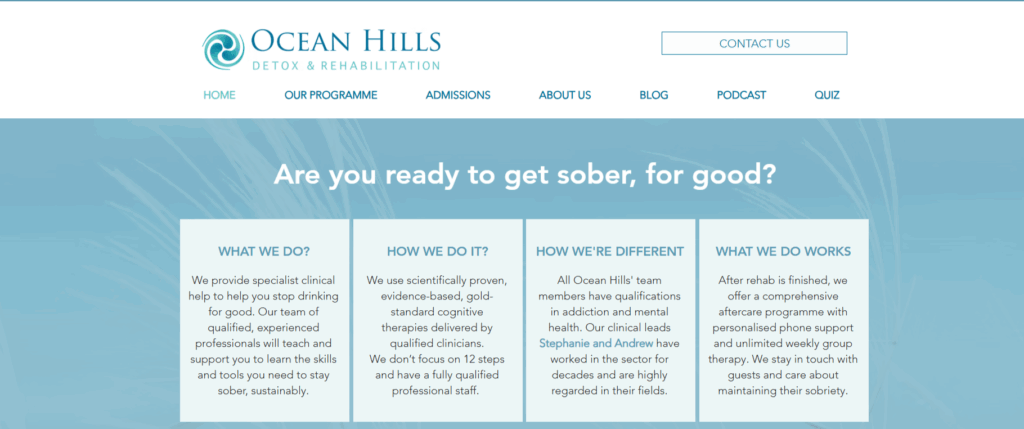
The business, Ocean Hills Detox and Rehab, runs a very important community service, helping people recover from alcohol and drug issues.
However, Google Ads can be hard to manage when your business falls into the “sensitive or regulated” areas.
Here is a guide to help you out.
You are more than welcome to reach out to our team for help HERE as well.
x
How to Run Google Ads When Your Business Uses Restricted Words (e.g., Rehab, Detox, Addiction Treatment)
x
Businesses in sensitive categories — like addiction treatment, rehab facilities, counselling, or anything involving restricted medical terminology — must take extra care when running Google Ads.
Ads can get disapproved, delivery can be limited, or accounts can face policy flags if you use restricted words incorrectly.
Using Ocean Hills Rehab in Napier as the example, here’s a practical, copy-and-paste-ready checklist for running Google Ads safely and effectively in restricted industries.
x
x
Why Restricted Categories Matter
Google places stricter controls on ads that involve health, addiction, mental health, or medical claims.
Words such as rehab, detox, addiction treatment, drug recovery, etc., often trigger:
- Additional review
- Lower ad delivery
- Disapprovals
- Landing page checks
- In some regions, certification requirements
So you need a structured, safe approach.
x
Pre-Campaign Setup Checklist
1. Define Your Service Clearly
Before doing anything inside Google Ads, write down:
- What services you offer
- How they are delivered (residential, outpatient, etc.)
- Who you legally serve
- Where you operate
For example, Ocean Hills Rehab offers residential alcohol and drug recovery programmes in Napier, run by qualified clinicians.
A clear service definition helps you stay compliant and avoid exaggerated language.
x
2. Audit All Potential Keywords
List all keywords you think you might bid on, including:
- alcohol rehab Napier
- drug rehab Hawke’s Bay
- alcohol detox NZ
- addiction treatment centre
- stop drinking help
Mark which ones include restricted terms (rehab, detox, addiction treatment).
You may need to soften some and use alternatives like:
- addiction support programme
- residential recovery service
- alcohol dependency programme
x
3. Review Your Landing Page for Compliance
Google heavily evaluates your landing page. Make sure it:
- Is factual and transparent
- Lists actual services and qualifications
- Avoids exaggerated promises (e.g., “guaranteed recovery”)
- Includes a privacy policy
- Shows your physical location
- Has a clear and gentle call to action (“Confidential enquiry”, “Learn more”)
Avoid fear-based or urgent messaging.
x
4. Check Location & Regulatory Requirements
Ensure that your ads only target the places you are legally allowed to serve.
For most NZ rehab facilities, this means:
- Target New Zealand only
- Possibly restrict to local regions (Hawke’s Bay, Napier, NZ cities)
Avoid global targeting — it increases scrutiny and reduces relevance.
x
5. Certification & Internal Policy Controls
Some businesses in the addiction treatment space require certification to run ads in certain countries.
Even if certification isn’t required in NZ, you should:
- Assign someone to check policy compliance
- Maintain a log of your keywords, ads, and landing pages
- Have a plan for how to respond quickly to ad disapprovals
x
Campaign Build Checklist
1. Campaign Settings
- Objective: Leads
- Location: NZ or specific regions
- Budget: Start modest, scale based on ROI
- Bidding: Maximise Conversions or Target CPA (after enough data)
2. Ad Group & Keyword Structure
Create tightly-themed ad groups such as:
- Alcohol Treatment Napier
- Drug Rehab Hawke’s Bay
- Residential Recovery NZ
Use mainly Exact or Phrase Match for control.
For sensitive terms:
- Add geo modifiers (“rehab Napier”)
- Test softer alternatives in separate ad groups
- Add strong negative keyword lists to reduce irrelevant traffic
3. Ad Copy Guidelines
Keep your ad copy:
- Professional
- Factual
- Supportive, not urgent
- Free from sweeping promises
Example safe ad copy:
Headline: Residential Addiction Support in Napier
Description: Clinically-led programmes in a private coastal setting. Confidential enquiries welcome.
Avoid phrases like:
- “Instant detox”
- “Guaranteed recovery”
- “Get sober in days”
4. Align Your Landing Page
Make sure the landing page:
- Matches your ad language
- Includes trust signals (qualifications, clinical team, testimonials if allowed)
- Is clear about location
- Is mobile-optimised
- Contains simple contact options: phone, email, form
Tracking must be installed before launch.
5. Conversion Tracking
Before ads go live:
- Install Google Ads conversion tracking
- Track:
- Form submissions
- Phone calls
- Click-to-call
- Use UTM tags for reporting
- Test every conversion event
x
Monitoring & Optimisation Checklist
1. Check Policy Manager Frequently
Monitor for:
- Ad disapprovals
- Limited delivery notices
- Account warnings
Fix issues quickly and appeal only when appropriate.
2. Optimise Keywords
- Review search terms daily/weekly
- Add negative keywords to block irrelevant traffic
- Pause restricted terms if they cause repeated disapprovals
- Test softer variations regularly
3. Improve & Test Ad Copy
Run A/B tests such as:
- “Addiction support” vs “alcohol recovery programme”
- “Clinically-led treatment” vs “residential support programme”
Track which versions get approved fastest and perform best.
4. Landing Page Improvements
Review:
- Conversion rate
- Bounce rate
- Load speed
- Mobile usability
Update copy regularly to remain compliant and avoid outdated claims.
5. Budget & Bidding Adjustments
- Review cost per lead
- Assess lead quality (are they becoming admissions?)
- Increase budget only for high-quality ad groups
- Reduce or pause low-quality ones
- Consider day-parting (run ads when someone answers the phone)
6. Track Leads Beyond the First Conversion
For rehab-style businesses, the quality of the lead matters more than the quantity.
Track:
- Initial enquiry
- Assessment
- Admission
Feed this back into Google Ads decision-making.
7. Regular Policy Reviews
Google updates health-related ad policies often.
Set a reminder to:
- Review policies monthly
- Update your keywords and ad copy
- Review landing pages for compliance
- Log any changes made
x
Additional Tips for Rehab/Detox/Addiction-Related Ads
- Use supportive, empathetic language
- Avoid fear-based messaging
- Avoid highly graphic or emotional imagery
- Emphasise confidentiality (“Private, confidential support”)
- Explain your process clearly
- Promote qualifications and clinical oversight
- Include an emergency disclaimer (“If this is an emergency, call 111”)
x
Quick-Reference Checklist (Printable)
Pre-Launch
- Define service
- Audit restricted keywords
- Review landing page
- Set correct locations
- Check certification needs
Build
- Tightly themed ad groups
- Safe keyword mixes
- Safe, factual ad copy
- Landing page alignment
- Install conversion tracking
Monitoring
- Policy manager checks
- Search term reviews
- A/B ad tests
- Landing page optimisation
- Lead quality reviews
Compliance
- Monthly policy audits
- Log changes and disapprovals
- Clear documentation